
Public Wi-Fi is everywhere — airports, hotels, coffee shops, and even airplanes.
It’s convenient, but it’s also one of the easiest places for attackers to spy on traffic, steal credentials, or exploit unpatched devices.
The good news? You don’t need to be a cybersecurity expert to stay safe.
In this guide, security professionals share real-world advice on how to protect yourself when using public Wi-Fi, what risks actually matter today, and when it’s smarter to avoid public networks altogether.
Layer Defenses on Untrusted Networks
The smartest way to stay secure on public Wi-Fi is to assume the network is hostile by default and layer your defenses.
First, avoid accessing sensitive accounts like banking or work systems unless absolutely necessary.
If you must connect, always use a trusted VPN to encrypt your traffic and prevent attackers from intercepting data through rogue access points.
Second, disable automatic Wi-Fi connections and file sharing on your device.
Many public Wi-Fi attacks exploit open discovery settings rather than complex hacking techniques.
Third, keep your operating system, browser, and apps fully updated.
Most public Wi-Fi attacks succeed by abusing known vulnerabilities that users haven’t patched.
Finally, enable multi-factor authentication (MFA) on all critical accounts.
Even if credentials are compromised, MFA can stop attackers from gaining access.
Based on my experience working in cybersecurity operations and incident response, most real-world breaches on public Wi-Fi happen because convenience overrides basic security hygiene.
A cautious, layered approach dramatically reduces risk.
Ankit Rai, Founder & Cybersecurity Expert, Codevirus Security Private Limited
Rely on TLS and Avoid Obvious Traps

The old public Wi-Fi horror stories are mostly a relic.
With modern HTTPS and TLS, your traffic is usually encrypted before it even leaves your laptop, so the person across the airport lounge can’t simply sniff your bank password out of the air.
Still, safe is not the same as invincible.
Think of public Wi-Fi like a shared bathroom. Use it — but don’t touch anything you don’t need to.
Some basic suggestions:
- Keep your firewall on and mark the network as Public so your device stays hidden from nearby devices.
- If you get a certificate warning, it’s not a glitch — it’s a red flag. Disconnect immediately.
- Be picky with network names. If you see suspicious options like FREEWIFI, FREEWIFI2, or FREEWIFIGUEST and can’t verify which one is real, don’t connect.
This changes if you’re a targeted individual — such as a journalist, activist, or senior executive.
If someone is specifically looking for you, public Wi-Fi becomes a liability.
In that case, skip it entirely and use cellular data via a phone hotspot or a dedicated 4G/5G device.
For most people, the real threat isn’t airport Wi-Fi.
It’s the phishing link in their inbox or the password they’ve reused since 2010.
Javier Medina, Cybersecurity Director, ITRES
Use a Trusted VPN and Update Devices

The smartest approach to public Wi-Fi security comes down to three things that work together.
First, always use a reputable VPN whenever you connect to public Wi-Fi.
A VPN creates an encrypted tunnel for your data, making it nearly impossible for attackers on the same network to intercept your communications.
Stick with trusted providers like NordVPN, ExpressVPN, or Mullvad rather than free options.
You’re trusting them with your data — the small monthly cost is worth the peace of mind.
Second, treat every public network as hostile by default.
Avoid sensitive activities like banking, payroll access, or confidential work systems whenever possible.
If you must access something sensitive, verify HTTPS is in use and ensure your VPN is active.
Better yet, use your mobile data connection for truly critical tasks.
Third, keep your devices hardened and fully updated.
Install system updates promptly, disable automatic Wi-Fi connections, turn off file sharing and AirDrop, and ensure your firewall is enabled.
Many public Wi-Fi attacks exploit vulnerabilities that updates already fix.
I also strongly recommend enabling two-factor authentication (2FA) on critical accounts.
Even if a password is captured, attackers still can’t log in without the second factor.
Public Wi-Fi is inherently insecure by design.
But basic vigilance dramatically reduces your exposure.
Paul Reynolds, Cyber Consultant, Paul Reynolds
Prefer Hotspots for Sensitive Tasks
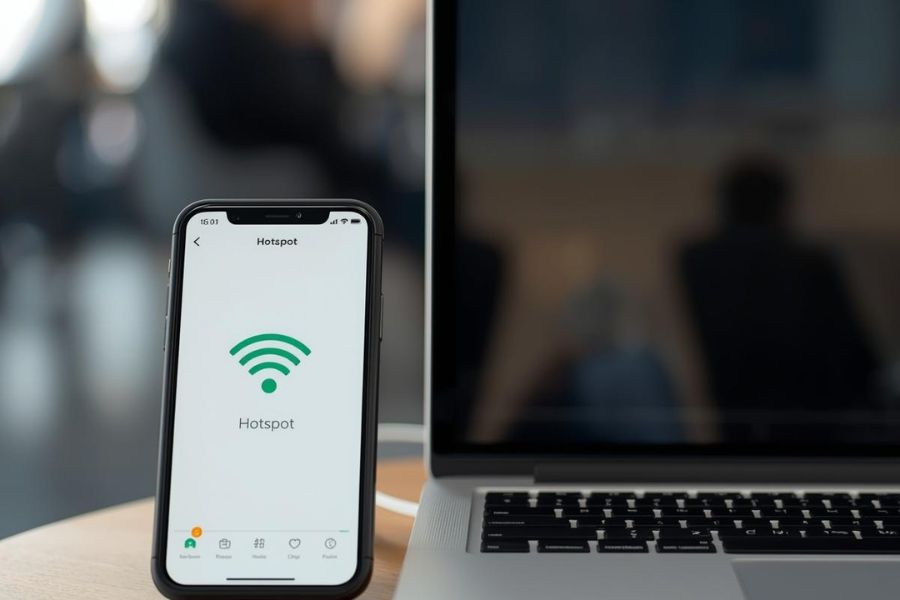
Public Wi-Fi in airports, hotels, and coffee shops is convenient.
It’s also shared, poorly monitored, and easy for attackers to abuse.
You don’t need to go fully off-grid — but you do need smart habits.
Treat public Wi-Fi like a public conversation.
I never log into banks, payroll systems, admin dashboards, or anything that could seriously hurt me or my business if intercepted.
When it matters, I use my phone hotspot.
Cellular data is usually safer than open Wi-Fi.
If I need to handle something sensitive — even briefly — I switch networks.
I also lock devices down before I ever leave home.
Public Wi-Fi isn’t the moment to realize you skipped updates for six months.
I avoid “convenience” connections.
I don’t auto-join networks, and I’m suspicious of Wi-Fi names that look almost right.
That’s a common trick.
I encrypt connections whenever possible using a reputable VPN — never a free one.
Finally, I separate personal and business risk.
I don’t mix casual browsing, family devices, or kids’ tablets with business-critical work in public spaces.
Reducing your attack surface means fewer logins, less sensitive activity, and better defaults before you connect.
Alexia Idoura, Owner, Security Done Easy
Leave a Reply